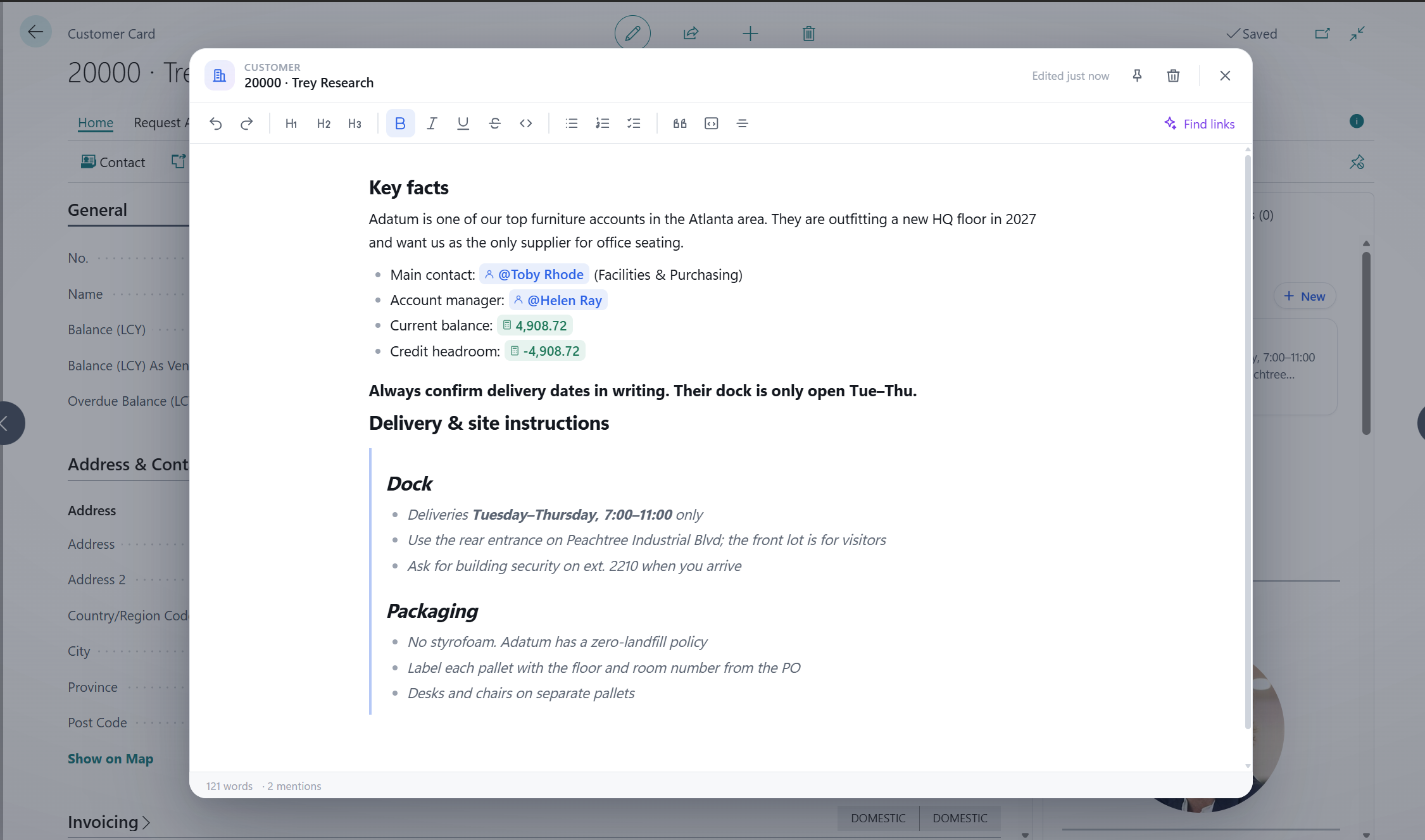
Notes that live on the record
better-crm-logo-pipeline-transparent

Magic Notes

Magic Notes puts rich notes in a FactBox on more than 140 pages in Microsoft Dynamics 365 Business Central.

The problem it fixes
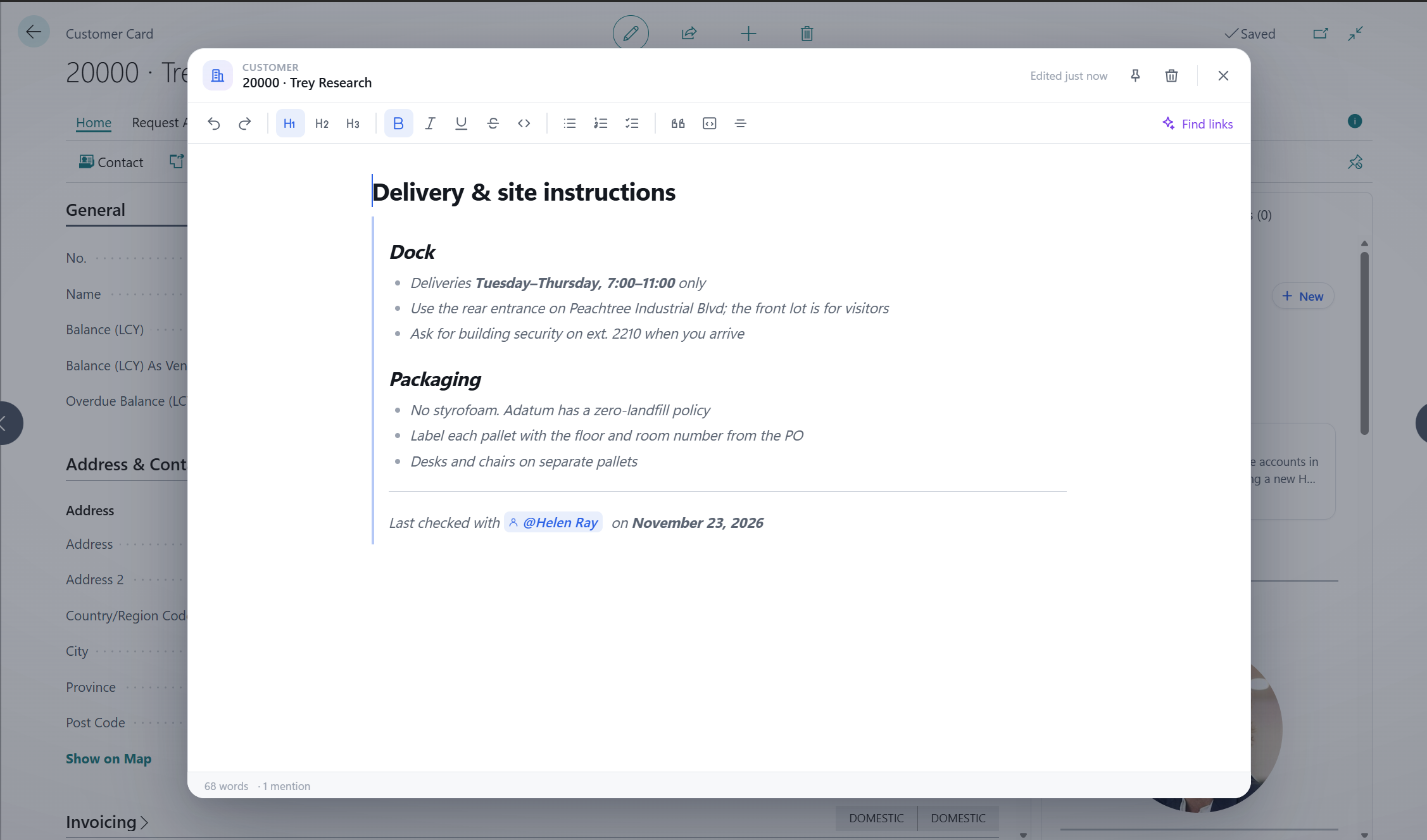
Notes in Business Central are plain text in a small box. They cannot hold a checklist or a heading, they do not link to anything, and they stay behind when a quote becomes an order.

Magic Notes keeps them where the work happens: on the customer, the vendor, the item and the document.

How it works

1. Open a record

Magic Notes is seamlessly integrated and available right in the FactBox pane.

2. Click a tile

A full, distraction-free editor opens instantly to let you focus on your thoughts.

3. Write

Start typing naturally. Every single pause in your writing is automatically saved.

4. Close

Simply press Esc or click anywhere outside the editor to return to your workflow.

Write real notes

Headings, checklists, markdown shortcuts (# for heading, [] for checklist), and rich formatting like bold, highlight, and code blocks.
SMART WORKSPACES

Mention people and records

Type @ for people and # for records. Mentions are links that open the record. Suggestions include contacts, salesperson, and recent documents.

Live calculations & AI Links

Type = for AL calculations like credit headroom. AI Find links reads the note to find and link customers, vendors, and items automatically.
AL EXPRESSION ENGINE
=Rec.“Credit Limit (LCY)” – Rec.“Balance (LCY)”

Initial Sales Quote

Note: “Include custom setup guidelines for implementation.”

Active Sales Order

Note: “Include custom setup…” ↳ Inherited from Quote #1042

Posted Invoice & Ledger

Note: “Include custom setup…” ✓ Sync locked to Ledgers

SMART DOCUMENT INHERITANCE

Notes that follow the deal

Notes on a quote follow to the order, invoice, shipment, and ledger entries. Inherited notes show their origin and stay synced automatically throughout your entire workflow.

Where it works

Seamlessly integrate your business workflows with our modular and robust app architecture.

Master Data

Keep your customers, items, and critical core dimensions unified in a single, accessible source of truth.

Sales & Purchase

Streamline transactions with automated processes for quotes, active orders, billing, and strategic sourcing.

Service & Projects

Manage complex assemblies, bills of materials (BOMs), individual task assignments, and project lifecycles.

Warehouse & Journals

Track stock movements, execute dynamic inventory counts, and post general ledger journal entries seamlessly.

Ready to try it?

You can use the Magic Notes trial version in your Sandboxes.

Try all the features in the App to see how they can empower you to do more for your business.

Done testing?

When you are sure that Magic Notes is the right choice for your business, you can buy a yearly license and deploy to your production environment. 

Magic Notes

The license covers both production and sandbox environment(s) for one tenant. 

USD 199/year

Getting Started

Follow these simple, interactive steps to deploy Hougaard Apps in your Business Central environment and elevate your productivity instantly.
1

Install from AppSource

Search for Hougaard Apps within the Microsoft AppSource store. Click ‘Get it now’ to quickly add it to your active Dynamics 365 Business Central instance.
2

Assign Permissions

Configure user access security within Business Central. Easily assign tailored permission levels to your team members, categorized as Read, Edit, or Admin roles.

3

Open a Record

Navigate to any page or card in Business Central, such as a Customer, Vendor, or Sales Order. The custom app UI dynamically loads right alongside your standard page data.
4

Write a Note

Instantly start editing. Type contextual notes, track list items, or tag colleagues. All adjustments save in real time, keeping your team perfectly synchronized.

Your questions answered

Frequently Asked Questions

Does it replace BC notes?
No, it works alongside native Business Central notes. You get rich text editing, modern mentions, and external attachments, without losing access to native notes.
All notes and configurations are stored securely inside your Microsoft Dynamics 365 Business Central database, ensuring full compliance, backup integrity, and local data residency.

Built to be extended

Hougaard Apps are developer-friendly. You can seamlessly embed our FactBox on any customized Business Central page using raw AL code.
pageextension 72215094 “MN Sales Order Hgd” extends “Sales Order”
{
    layout
    {
        addfirst(factboxes)
        {
            part(MagicNotesHgd; “Magic Notes FactBox Hgd”)
            {
                ApplicationArea = All;
                // 36 = Database::”Sales Header”; SubPageLink only takes literals
                SubPageLink = “Table No.” = const(36), “Parent System Id” = field(SystemId);
            }
        }
    }
    trigger OnAfterGetCurrRecord()
    var
        Sources: Codeunit “Magic Note Link Sources Hgd”;
    begin
        Sources.SetOwner(Rec);
        Sources.Add(Database::Customer, Rec.”Sell-to Customer No.”, Rec.FieldCaption(“Sell-to Customer No.”));
        Sources.Add(Database::Customer, Rec.”Bill-to Customer No.”, Rec.FieldCaption(“Bill-to Customer No.”));
        Sources.Add(Database::”Ship-to Address”, Rec.”Sell-to Customer No.”, Rec.”Ship-to Code”, Rec.FieldCaption(“Ship-to Code”));
        Sources.Add(Database::Contact, Rec.”Sell-to Contact No.”, Rec.FieldCaption(“Sell-to Contact No.”));
        Sources.Add(Database::Contact, Rec.”Bill-to Contact No.”, Rec.FieldCaption(“Bill-to Contact No.”));
        Sources.Add(Database::”Salesperson/Purchaser”, Rec.”Salesperson Code”, Rec.FieldCaption(“Salesperson Code”));
        Sources.Add(Database::Location, Rec.”Location Code”, Rec.FieldCaption(“Location Code”));
        Sources.Add(Database::Campaign, Rec.”Campaign No.”, Rec.FieldCaption(“Campaign No.”));
        Sources.Add(Database::Opportunity, Rec.”Opportunity No.”, Rec.FieldCaption(“Opportunity No.”));
        Sources.AddSalesLines(Rec);
        CurrPage.MagicNotesHgd.Page.SetLinkedSources(Sources);
    end;
}

Supported Editions

This app supports the Essential and Premium editions of Microsoft Dynamics 365 Business Central

Supported Countries

This app supports all countries where Business Central is available

Supported Languages

The app is available in Czech (Czech Republic), Danish (Denmark), German (all areas), Spanish (Spain and Mexico), Italian, Icelandic, Dutch (Belgium), Finnish (Finland), French (all areas), Japanese, Korean, Norwegian, Russian, Swedish and English (all areas)