

Erik’s ToolBox is a tool for getting support tasks done. A way to write AL code directly in Microsoft Dynamics 365 Business Central and gets it executed right away, without having to use Visual Studio and without deployments and all the operations that are normally needed to run code on any type of environment.
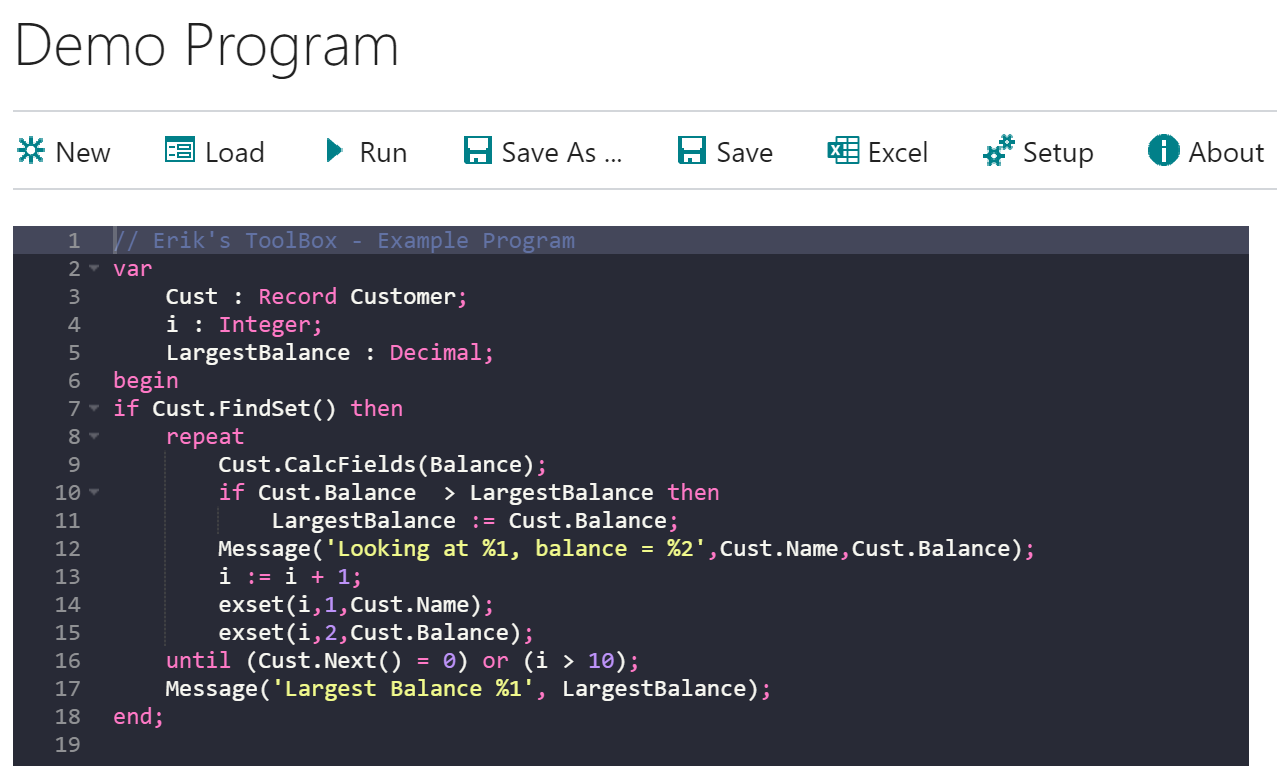
Open the ToolBox from Tell-Me (Alt-Q) and start typing code in the left window (the dark one), when you’re done programming, hit Run and your code is executed right away in the company you’re in – It’s that easy.
Sharing Code Between Environments
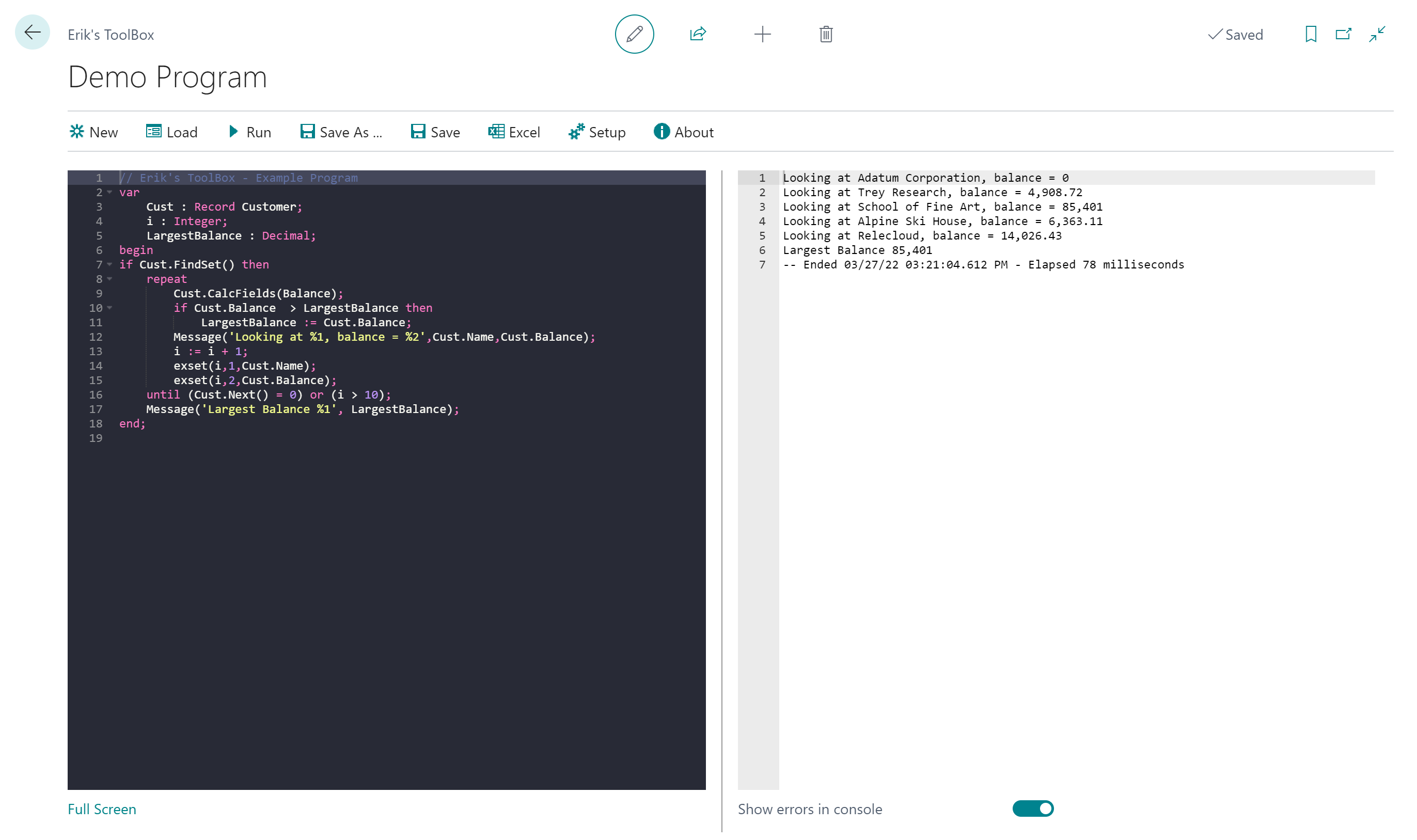
The ToolBox can be used for typical support cases like:
- Access fields and data in tables that are normally not available through the normal user interface
- Batch modifications of multiple records
- Perform the same operation in multiple companies
- Adjust defective data
Programs can be loaded, executed and saved for fast retrieval later.
Excel Integration like nothing else
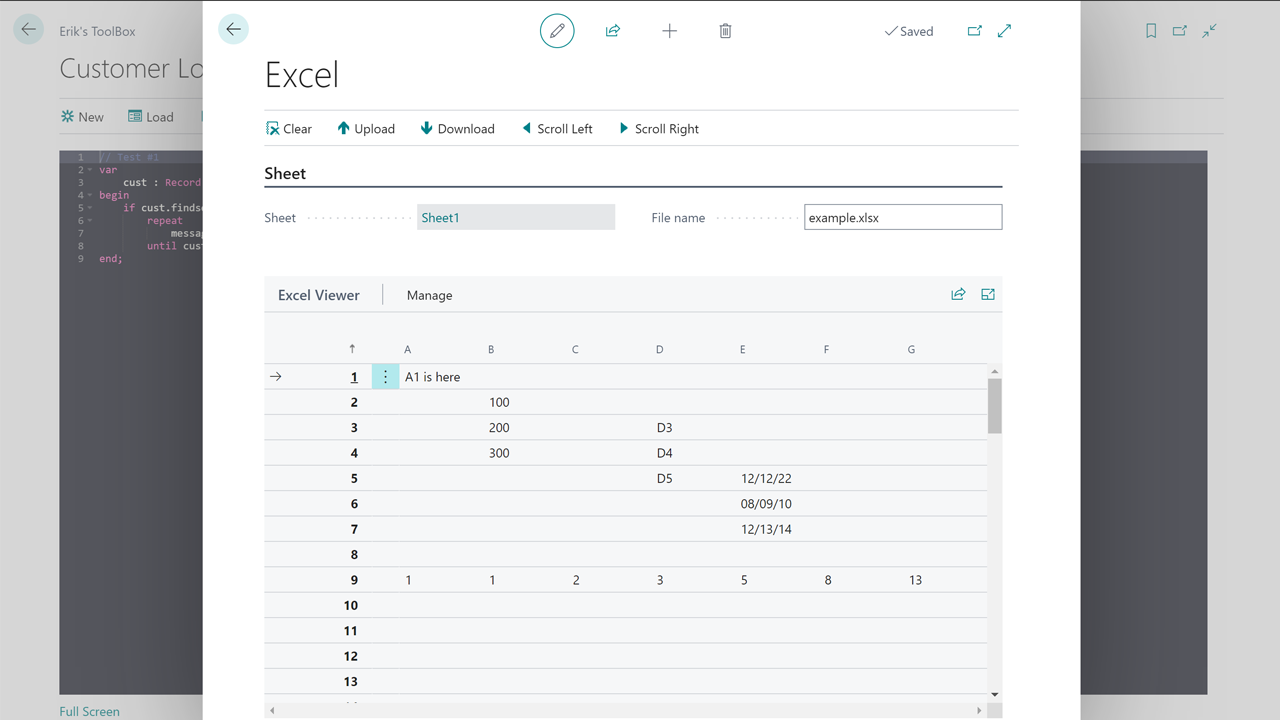
You can load up an Excel sheet to access from AL code, you can both read and write to cells directly from AL code with minimal overhead. If the customer gives you an Excel sheet with a list of documents that need “adjustments”, you can just use the sheet directly and simply loop through the needed cells.
Partner Focused Functionality
The ToolBox has a synchronization functionality to easily support a multi-customer partner setup:
- Share programs across multiple customers, sharing through an Azure Storage Account.
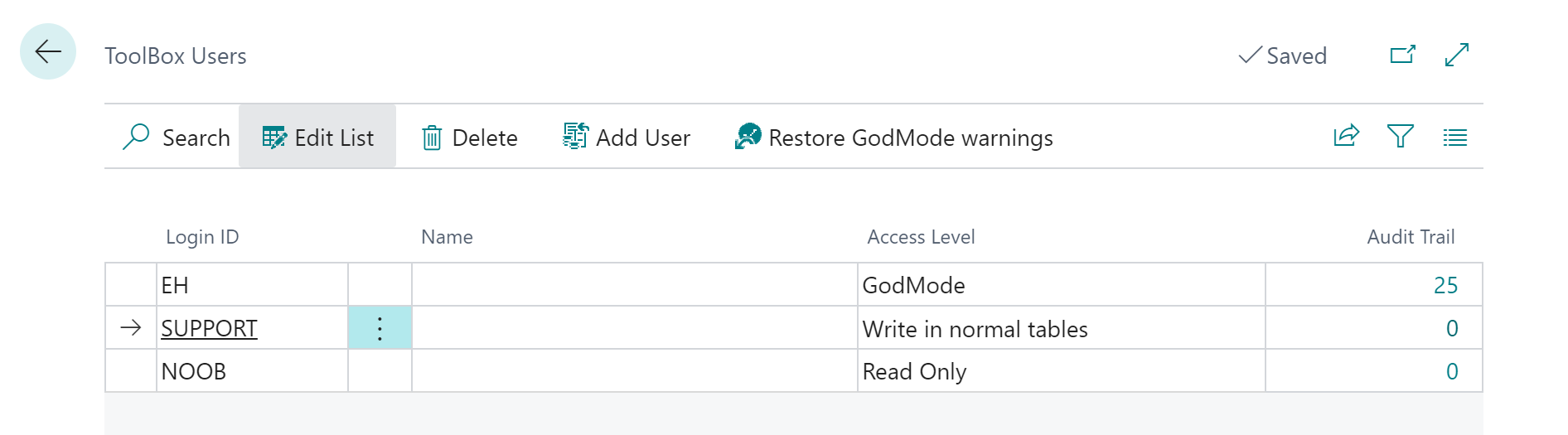
- Different access levels can be assigned to different users:
- Readonly – No changes allowed
- Write access to normal tables – Not allowed to touch restricted tables
- GodMode – Access to everything
Audit Trail for all activity
All operations performed with the ToolBox are recorded in an Audit Trail. The source code is attached to each Audit Trail entry. All operations on restricted tables through GodMode are also recorded in the Audit Trail.
Supported Editions
This app supports the Essential and Premium editions of Microsoft Dynamics 365 Business Central
Supported Countries
This app supports all countries where Business Central is available
Supported Languages
The app is available in Czech (Czech Republic), Danish (Denmark), German (all areas), Spanish (Spain and Mexico), Italian, Icelandic, Dutch (Belgium), Finnish (Finland), French (all areas), Japanese, Korean, Norwegian, Russian, Swedish and English (all areas)